 Rumpelstiltskin Dance
1. Add your reference image
Choose one authorized photo. Use Replace if you want to change it, and resolve any file-format or size error before proceeding.
Upload a photo and generate your own tiptoe dance video. This Rumpelstiltskin AI generator handles the reference and prompt, with a single $8.99 USD payment per clip.
One photo in, one 13-second 768P video out. Choose your format before checkout.
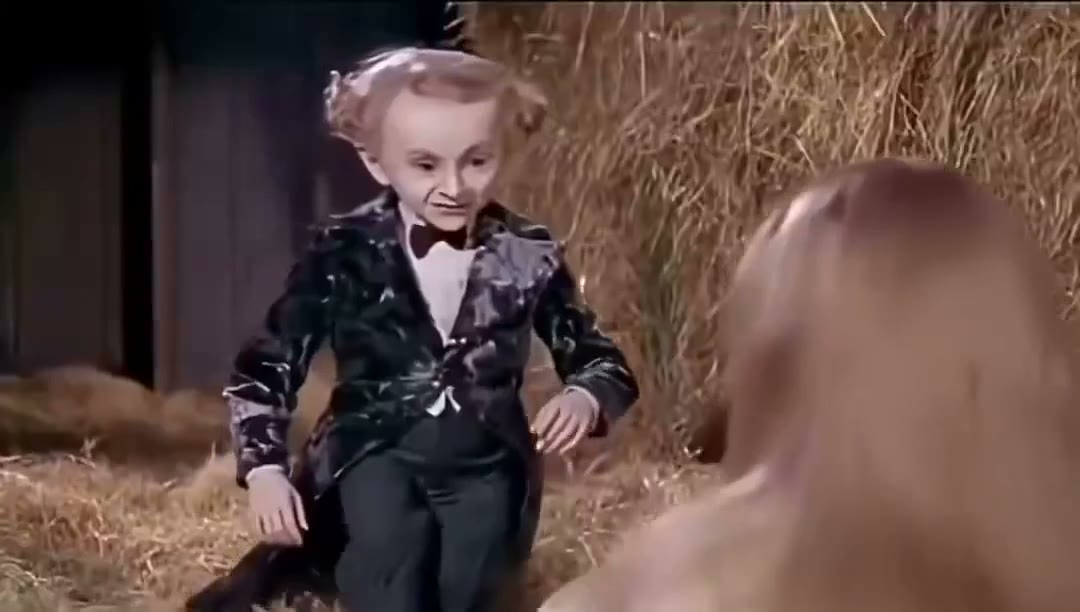
The original footage used to guide choreography and scenes. This is the source video, not a generated customer result.
A general video model asks you to choose settings, write a scene prompt and explain the choreography. This generator packages that work into a photo upload. The prepared reference guides the barn setting, shushing gesture and tiptoe movement, so you can focus on choosing the dancer.
The tool accepts one reference image and creates one video order. It is designed for a single dancing lead. You do not need to upload a motion video, assign a second person or buy a monthly plan. The price is $8.99 USD per generation, and the checkout is opened only after your photo is saved.
Before submitting, use the player to inspect the original dance reference. It shows the intended motion and scene, not a generated customer example. The AI makes a new interpretation, so the final face, costume, body movement and editing can differ from that source.
Your photo, frame and order stay in one workflow.
Choose one authorized photo. Use Replace if you want to change it, and resolve any file-format or size error before proceeding.
Select your video format and press Buy and generate. Add an optional email, then complete the one-time $8.99 USD checkout.
Return from checkout to follow the saved order. When generation completes, preview and download your clip from that same private page.
Upload a JPG, PNG or WebP up to 10 MB. A sharp photo of one person gives the model a clearer identity reference than a crowded group photo, heavy filter or distant subject.
Match the reference for its original composition, use portrait 9:16 for a vertical post, or landscape 16:9 for a wider view. The selected frame is saved with your order.
Add an email to receive payment and completion links, or leave it blank. Without email, keep the private order link or return through My orders in the same browser.
After payment is confirmed, the order enters the generation queue. Your private order page shows its progress and provides the finished video when it is ready. Processing time varies, so check an existing order before purchasing again if its status is still pending.
The output is a 13-second 768P video with original AI-generated audio. Download it within 14 days after delivery. A confirmed generation failure queues a full refund; a task waiting for review is not the same as a confirmed failure. Your order page keeps those states separate.
Create a personal dance clip without a subscription.
$8.99 USD per video. No recurring charge.
One photo. The uploaded person is the dancing lead. This generator does not offer two-person casting or separate dancer and spectator uploads.
No. The dance prompt and reference are already prepared. You upload the photo, choose the framing and continue to payment.
Use a JPG, PNG or WebP image up to 10 MB. Export HEIC or another unsupported format as JPG first. Choose a clear photo of one person.
Generation costs $8.99 USD per video as a one-time purchase. The reference player is free to watch. There are no free renders, credit packs or recurring charges in this tool.
Check the existing private order first. A pending task may still complete, and a new purchase creates a separate paid generation. Processing time is not guaranteed.
Return to this website in the same device and browser and open My orders. Browser storage holds the private link, so clearing it or ending a private-browsing session can remove that access.
The template is ready. Choose your dancer and generate a personal clip.